From your product link to an approved creative
See how Surfio moves from a product link to competitor research, script approval and short AI presenter videos with testable opening hooks.
1. Start with one product and one audience
Share your product page and the customer you want to reach. Identify one problem or benefit the video should explain. Existing screenshots, product details and brand materials help keep the creative tied to what you actually sell.
2. Research creative ideas
Competitor ads help us study hooks, shot sequences and captions. Time in the Meta Ad Library can inform reference selection, but does not reveal profitability. We turn those observations into an idea to test rather than claiming a competitor’s results.
3. Approve the outline
You review the hook and script before generation. Check accuracy, tone and claims. AI presenters are identified as AI and are not represented as customers with personal product experience.
4. Produce and review
The published production walkthrough shows how presenter consistency, interface text, speech, shot boundaries and audio were checked on an actual sample. It includes mistakes found during production and the finished output.
Inspect the actual production
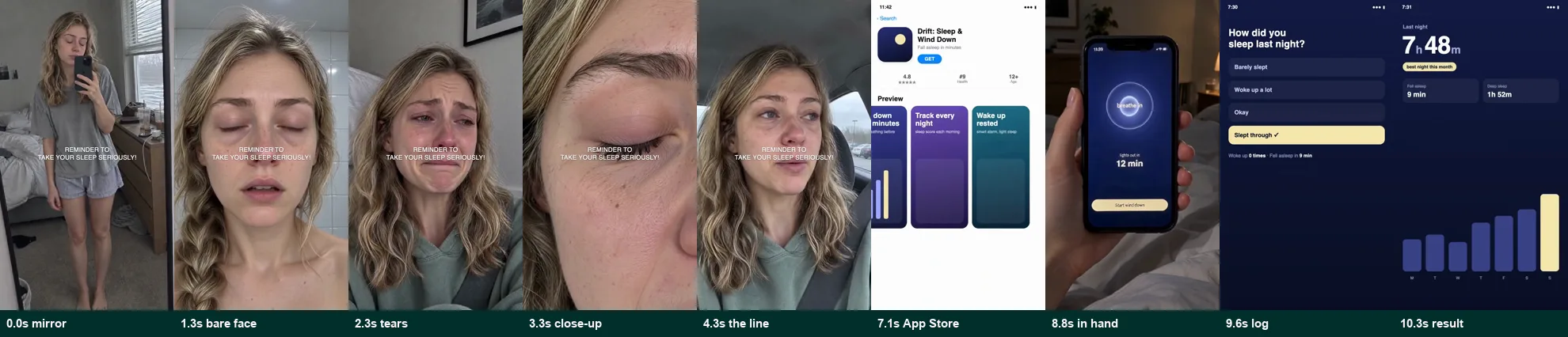
Read the Drift production walkthrough. This is a fictional app demonstration, not a client endorsement or a performance case study.
5. Receive files and test the creative
Paid packs provide three opening-hook versions for each base video. You or your media buyer run the ads, measure results and decide what to test next. See package scope, sample formats and support information.
Start with one free sample
Send your product link. We confirm the scope and timing, then send an outline for your approval. You keep the finished sample; a paid pack is optional.
Request a free sample